
Guide
Back to GuidesBuilding Playlists in Reezn: A Simple Walkthrough
Build playlists in Reezn: creating queues, reordering, saving for later, and the background-play combo for music and series.
CHAPTERS On this page
Why playlists beat folders
Folders are where files live; playlists are what you actually watch. A "Friday movies" queue or a "gym lectures" list in the Reezn survives reorganized folders and plays in your order, not alphabetical accident.
Creating your first playlist
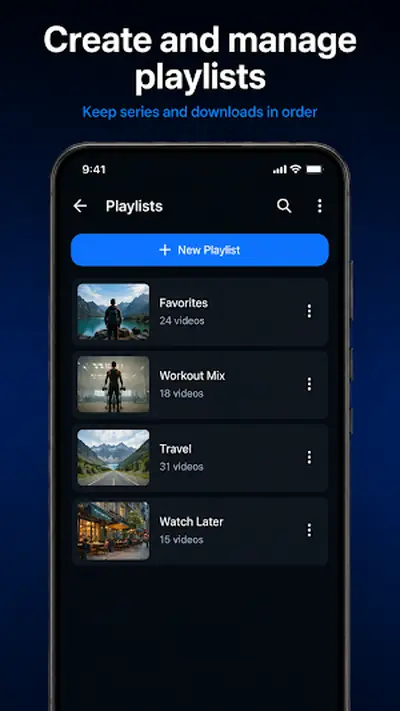
Long-press any item in the library and choose Add to playlist, then create new and name it. Repeat for everything in the set. It takes a minute and pays off every time you open it.
Reordering and pruning
Open the playlist, then drag items into order or swipe to remove. Removing from a playlist never touches the file itself: the library stays intact no matter how aggressively you curate.
Queues vs saved playlists
Two concepts, worth separating. The play queue is ephemeral: what is up next right now. A saved playlist persists. Build saved lists for recurring moods, and use the queue for tonight's improvisation.
The background combo
A music or lecture playlist plus background play turns the app into a podcast app with better organization. Screen off, queue rolling, phone in pocket.
Large library to organize first? The install guide's scan tips in how to install Reezn help. Offline viewing plans? See the offline mode explainer. Get the app from the Reezn APK download page.
Curate once in this player and every Friday night starts one tap from the good stuff.
Quick answers
Is there a limit to playlist size?
No practical one. Playlists are lightweight references, so even very long lists stay snappy.
Does deleting from a playlist delete the file?
No. Playlist entries are pointers; the underlying file in your library is untouched.
Do playlists survive updates?
Yes. Installing a newer APK over the old one preserves playlists, resume points, and settings.