Guide
Back to GuidesReezn Video Won't Play? 7 Fixes That Actually Work
Video won't play in Reezn? Work through these 7 fixes in order: file checks, audio, stutter, black screen, codec errors, and clean reinstall.
CHAPTERS On this page
Start here: is it the file or the app?
Before changing settings, rule out a bad file. Try the same video in your phone's built-in player alongside the Reezn app. If it fails there too, the file is corrupt or truncated: re-obtain it. If it plays elsewhere, the problem is in the app's setup, and the fixes below apply.
Fix 1: Check the download completed
A video that stops at the same timestamp every time is usually truncated. Compare its size against the source; a file that is 80% of the expected size will never play cleanly. Re-download on stable Wi-Fi.
Fix 2: No sound but video plays
The video track is fine but the audio codec is unsupported. In the playback settings, try switching the audio output mode. If that fails, the file's audio track needs converting: remux with a compatible track using any desktop converter, keeping the video untouched.
Fix 3: Stuttering playback
Enable hardware decoding in settings first; it offloads work to the phone's chip and fixes most stutter. If 4K still chokes, drop to 1080p: on a phone screen the difference is minor and smoothness matters more.
Fix 4: Black screen with audio
The decoder is handling audio but choking on video. Toggle hardware decoding the other way (software fallback), or try a different video output mode in settings. This specific symptom is almost always decoder-related, not file-related.
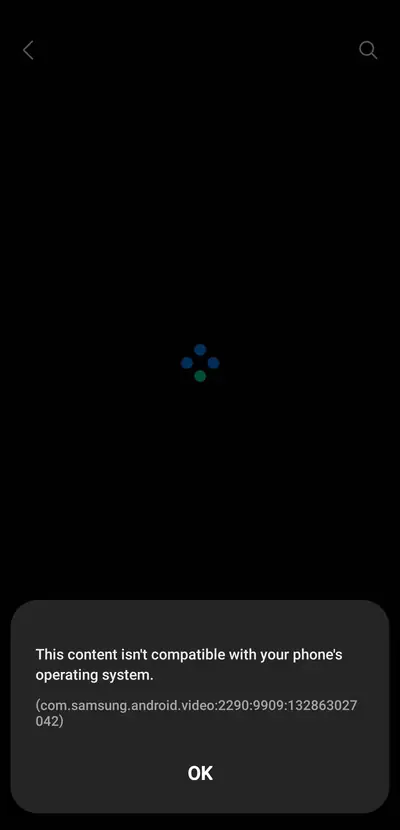
Fix 5: "Codec not supported" error
Check the supported formats guide to confirm whether the container is in the app's wheelhouse. Exotic formats are the one place a backup player earns its keep; install one alongside Reezn for those files rather than fighting the app.
Fix 6: Clear the app cache
A corrupted thumbnail or index cache can make the library misbehave without affecting playback itself. Clear the cache (not data) in Android's app settings, then rescan. Your resume points survive this.
Fix 7: Clean reinstall
Uninstall, restart the phone, and install fresh from the Reezn APK download page. This is the last resort because you lose settings, but it resolves anything the cache clear does not.
When it is the file, not the app
Partial downloads, DRM-locked files, and mislabeled extensions (a .mp4 that is really something else) will defeat any player. Verify the file plays on a desktop first; desktops have the most forgiving decoders. Subtitle trouble instead of playback trouble? The subtitle guide is your next stop.
Nine times out of ten, one of these fixes revives playback: this is a forgiving player once the file and the settings agree.
Quick answers
Why does the video freeze at the same spot every time?
The file is almost certainly truncated or has a corrupt segment at that timestamp. Re-download it completely.
Will clearing cache delete my library?
No. Clearing cache removes thumbnails and temporary data only. Your files and resume points stay intact.
Should I reinstall before trying the other fixes?
No. Reinstall last: most playback issues are settings or file problems that faster fixes resolve.